

Common Problems with Solar Flood Lights & How to Fix Them
Common problems with solar flood lights.
Solar flood lights are widely used for home gardens, parking lots, warehouses, rural roads, construction sites, and many other outdoor environments. Even though modern solar lighting systems are becoming more efficient, users still experience occasional problems such as dim brightness, short runtime, batteries not charging, or sensors not responding. Fortunately, most of these issues can be fixed without replacing the entire unit. This comprehensive 2025 troubleshooting guide explains the most common solar flood light problems and provides simple solutions to restore optimal performance.
This article naturally integrates long-tail SEO keywords such as solar flood light not charging, solar light battery issues, how to fix dim solar flood light, and PIR motion sensor not working. It also allows internal linking to your cluster pages like Solar Flood Light vs AC Flood Light, How Long Do Solar Flood Lights Last, Solar Panels for Flood Lights, and Best Solar Flood Lights for Security 2025.
Why Solar Flood Lights Experience Problems Over Time
Solar flood lights operate outdoors 24/7, which means they constantly face sunlight, UV exposure, temperature changes, humidity, and dust. Furthermore, as components age, energy conversion efficiency decreases. Therefore, small problems may appear even with high-quality brands.
The key to long-lasting performance is recognizing issues early and applying the correct fix immediately. Most solar flood light. problems come from four areas:
- Solar panel
- Battery
- LED driver or LED beads
- PIR / motion sensor module
Understanding these components helps you troubleshoot faster and maintain brightness and runtime.
Problem 1: Solar Flood Light Is Not Charging
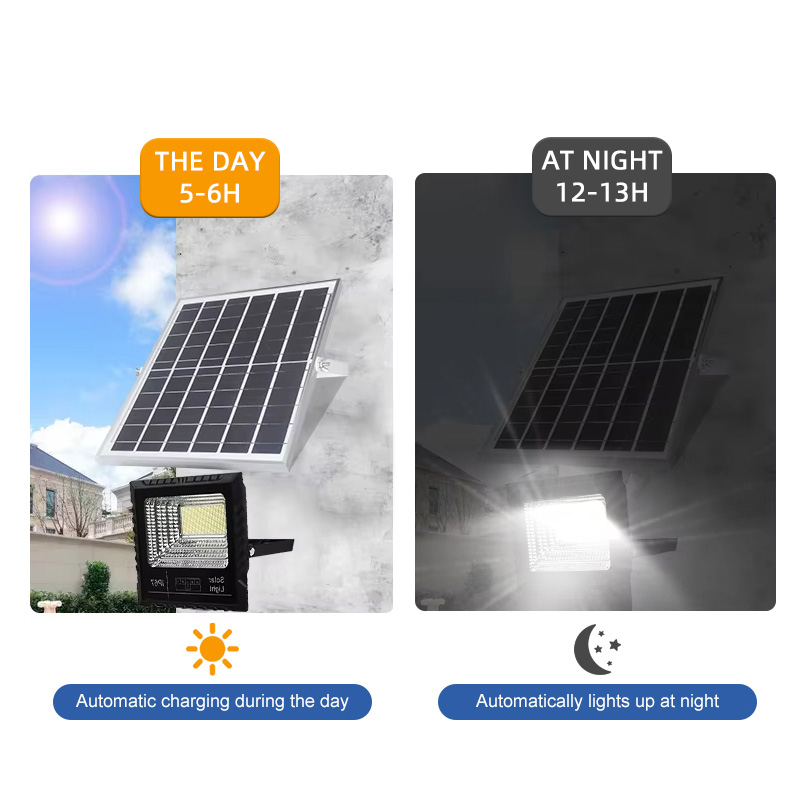
This is the most common issue and usually happens because something interrupts the solar panel’s ability to collect sunlight.
Possible Causes
- Solar panel covered with dust, bird droppings, or pollen
- The panel angle is incorrect
- Trees or buildings block sunlight
- Damaged panel wiring
- Battery failure
- Panel placed facing the wrong direction
How to Fix It
- Clean the solar panel surface
Use a microfiber cloth and mild water. Avoid harsh cleaning tools that scratch the surface. - Check for shade throughout the day
Observe the panel at 9 AM, 12 PM, and 3 PM. Even partial shade reduces charging efficiency dramatically. - Adjust panel angle based on latitude
Refer to the rules explained in your article Solar Panels for Flood Lights. Adjust to 5–35 degrees depending on your region. - Check wiring connection
Ensure the MC4 connectors or cable plugs are fully inserted and not corroded. - Replace the battery
If the battery no longer holds charge, replace it with a matching LiFePO4 or lithium-ion cell.
Once the panel receives enough sunlight again, charging usually returns to normal.
Problem 2: Light Turns Off Too Quickly at Night
Short runtime means the battery did not charge enough during the day or the settings are consuming too much power at night.
Possible Causes
- Insufficient sunlight exposure
- Low battery capacity
- High brightness mode drains power fast
- Exhausted battery near end of life
- Overly sensitive motion mode activated too often
Solutions
- Increase sunlight exposure
Move the solar panel to an open area or adjust its angle. - Switch to a lower brightness mode
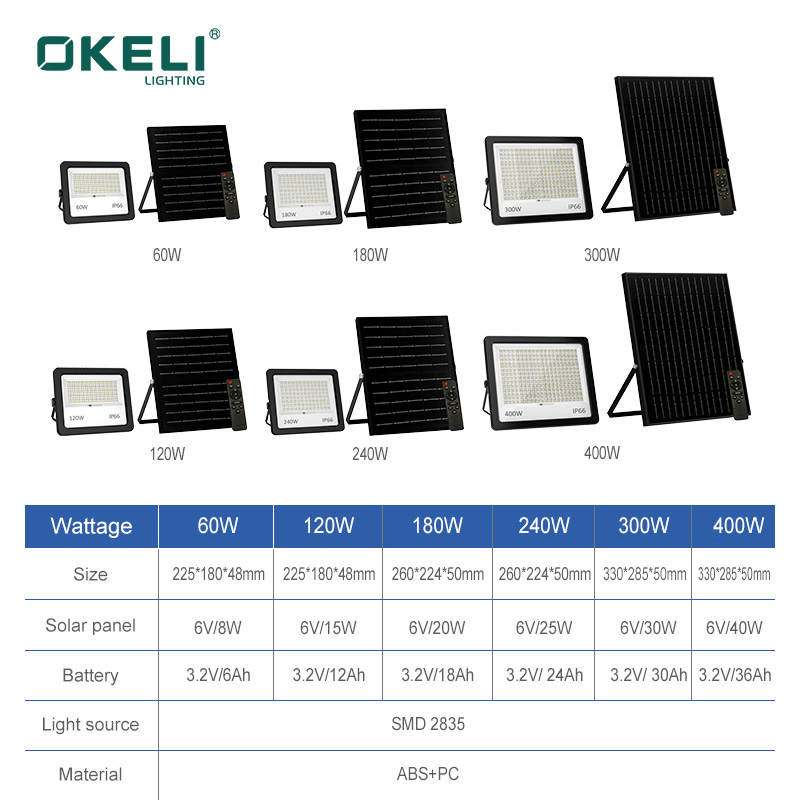
Many lights have 50% or eco mode to maximize runtime. - Upgrade solar panel wattage
A 20–40W panel dramatically improves runtime for high-lumen models. - Replace old battery
Lithium batteries generally last 2–5 years depending on quality. - Reduce unnecessary PIR triggers
Avoid pointing sensors toward roads or busy areas with constant movement.
After optimizing these factors, you should see longer and more stable nighttime lighting.
Problem 3: Solar Flood Light Becomes Dim or Too Weak
Dim lighting usually indicates a power shortage or LED degradation.
Why It Happens
- Dirty solar panel
- Weak sunlight due to winter or cloudy season
- Battery failing to deliver full voltage
- LED beads aging after years of use
- Faulty LED driver
Fix Steps
- Clean panel → Recharge system fully
Many dimming issues disappear after one or two full charging cycles. - Check battery voltage
A healthy LiFePO4 battery should maintain around 3.2–3.3V. - Switch to a higher brightness setting
Some lights reset brightness after a low battery event. - Upgrade to a new battery
Dimming is often the first symptom of battery degradation. - Replace LED module (advanced users)
If LEDs are damaged, a replacement module restores full brightness.
However, in most cases, dimness comes from charging problems rather than LED failure. Therefore, fix the solar panel first before assuming the LEDs are broken.
Problem 4: Flood Light Turns On During the Day
Solar flood lights should remain off during daylight. If they turn on unexpectedly, the light sensor is malfunctioning.
Typical Causes
- Light sensor covered by dirt or spider webs
- Incorrect installation angle
- Sensor damaged by water ingress
- Cable connection loose or corroded
Solutions
- Clean the light sensor window
A simple wipe often restores correct operation. - Adjust installation angle
Ensure the sensor receives direct daylight. - Inspect for water inside the lamp housing
If moisture is visible, the unit may need replacement. - Check wiring between panel and light
Poor connections cause sensor mis-readings.
A day-trigger problem is easy to fix if the sensor is not physically damaged.
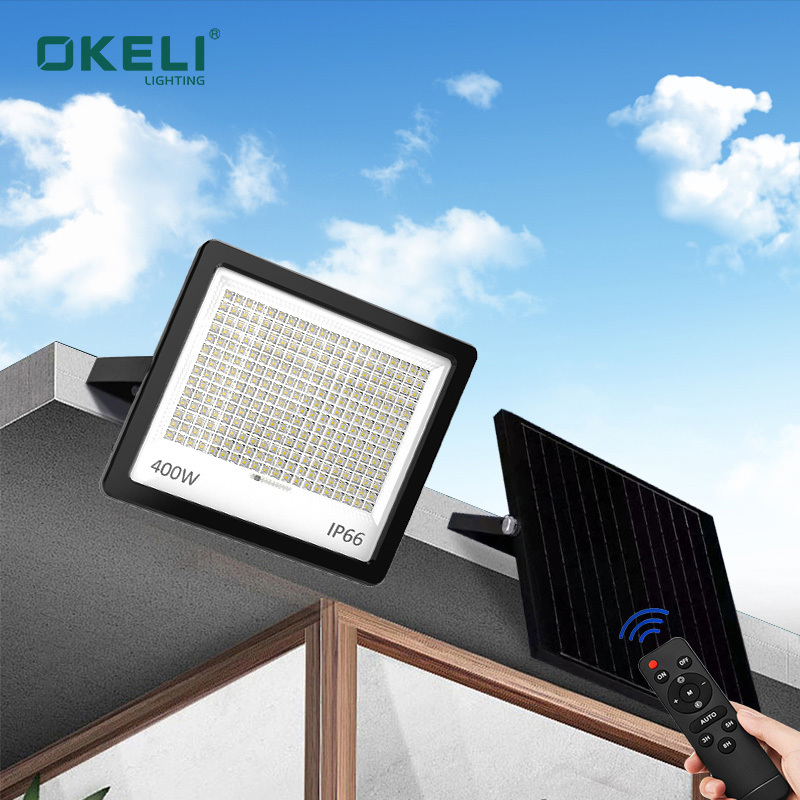
Problem 5: PIR / Motion Sensor Not Working
A nonresponsive PIR sensor reduces security effectiveness. Fortunately, it is one of the easiest issues to diagnose.
Possible Causes
- Sensor window is dirty
- Installed too high or too low
- Extreme temperature affecting sensor
- Wrong detection mode
- Sensor cable loose
Troubleshooting Steps
- Wipe the PIR lens clean
Dust prevents it from detecting infrared changes. - Check installation height
Best height: 2.5–3.5 meters. - Adjust sensitivity level
Lower sensitivity avoids false triggers; higher sensitivity detects further. - Verify mode settings
Ensure the flood light is actually in motion-activated mode, not "always on." - Test at night
Some sensors activate only after sunset. - Inspect wiring if detachable
Loose PIR cables result in no detection.
If none of these work, the PIR module might be damaged and require replacement.
Problem 6: Solar Flood Light Flickering
Flickering is rare but can appear after long-term use.
What Causes Flickering?
- Weak or unstable battery voltage
- Faulty LED driver
- Loose LED connectors
- Water ingress affecting internal circuits
- Cold weather reducing battery output
How to Fix It
- Fully recharge the battery
A deep charge often stabilizes output. - Tighten all visible connectors
Ensure no wires are loose. - Replace the battery if voltage drops rapidly
New batteries immediately eliminate flickering in many cases. - Avoid using the light in extremely low-temperature regions
If necessary, use LiFePO4 batteries, which perform better in cold climates.
Problem 7: Battery Not Holding Charge Anymore
All batteries degrade over time. If your solar flood light has been used for years, the battery is likely nearing its lifespan limit.
Signs of a Worn Battery
- Runtime drops significantly
- Light becomes dim
- Charging takes much longer
- Light shuts off randomly
How to Fix
- Replace battery with same voltage and chemistry
For example: 3.2V LiFePO4 if your original battery uses it. - Avoid mixing battery types
Using NiMH with lithium systems is unsafe. - Upgrade to a larger capacity
A bigger battery increases runtime substantially.
Battery replacement is one of the most effective upgrades for older solar flood lights.
Problem 8: Water Ingress or Moisture Inside the Light
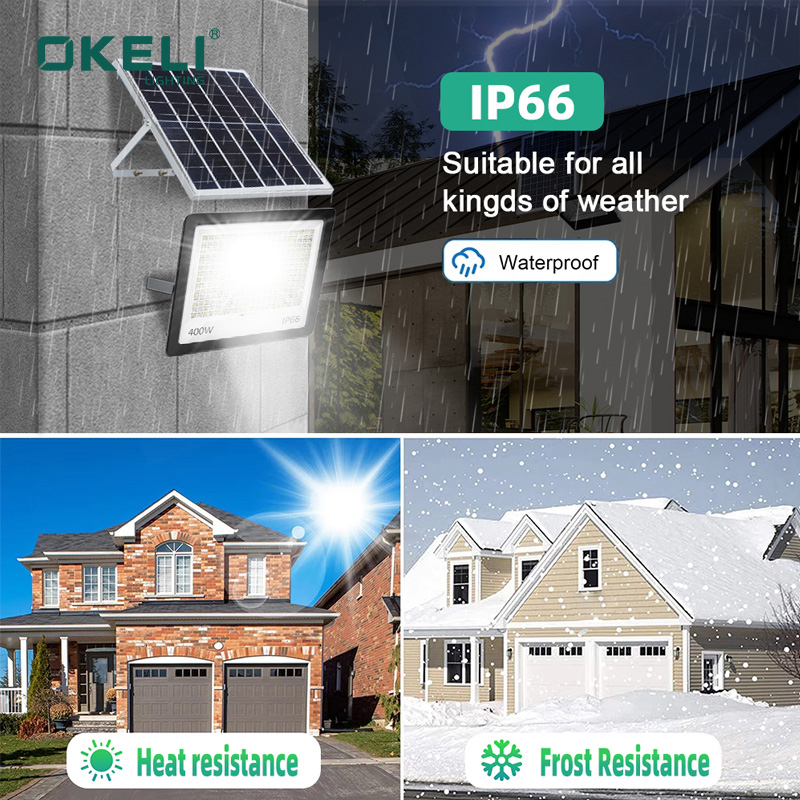
Water damage is serious and can permanently short-circuit components.
Causes
- Poor sealing on low-quality lights
- Heavy rainstorms
- Crack in the lamp housing
- Loose screws or gasket damage
Fix Options
- Dry the light completely
Place it in sunlight for 1–2 days. - Seal gaps using waterproof silicone
Only safe for external cases, not internal components. - Replace rubber gaskets
If screws are rusted or seals broken. - Replace the light entirely if PCB is flooded
Water-damaged circuits cannot be repaired reliably.
High-quality brands such as OKELI Lighting use IP66–IP67 waterproofing, reducing the risk of water ingress.
Preventive Maintenance Tips for Long-Lasting Solar Flood Lights
To minimize future problems, follow these simple maintenance habits:
- Clean solar panel every 2–4 weeks
- Check installation angle twice a year
- Replace battery every 2–3 years for best performance
- Avoid installing lights under trees and roof shadows
- Protect cables from animals or lawn equipment
- Inspect PIR sensor performance monthly
These steps ensure maximum brightness, stronger charging efficiency, and longer lifespan.
When Should You Replace the Entire Solar Flood Light?
Replace the whole unit if:
- Solar panel is permanently cracked
- PCB board is water-damaged
- LED module completely burns out
- Battery replacement doesn't solve runtime issues
- The casing is corroded or UV-damaged
In many cases, upgrading to a modern 2025 model provides better brightness and more advanced battery technology.
Solar Flood Light Problems Are Easy to Fix with Basic Troubleshooting
Most solar flood light issues come from the solar panel, battery, or sensor — and nearly all of them can be fixed with simple steps. By cleaning the panel regularly, adjusting installation angles, replacing worn batteries, and maintaining the PIR sensor, you can restore your light’s full performance and extend its lifespan for years.
This 2025 troubleshooting guide helps you quickly diagnose issues such as no charging, dim lighting, sudden shutoff, or motion sensor failure. With proper care and timely replacements, your solar flood lights will continue providing reliable and cost-free outdoor illumination.
Related Products


Author introduction

Dear Customer:
My name is Raymond, Sales Director at Okeli Lighting. With 10+ years of dedicated expertise in the LED lighting industry, I bring the technical acumen and market insights to elevate your projects. Expert in street light system configuration, lighting design and flood light technology support. Feel free to contact me. I’m happy to provide you with the best service and products
Related Articles
Ultimate Guide to Solar Flood Lights 2025
Top 10 Solar Flood Lights for Outdoor Use 2025
How to Choose the Best Solar Flood Light for Your Garden (2025 Guide)
Solar Flood Light vs AC Flood Light — Full Comparison (2025 Edition)
Do Solar Flood Lights Work in Rainy or Cloudy Weather? (2025 Updated Guide)
How Long Do Solar Flood Lights Last? (2025 Complete Lifespan Breakdown)
The Best Solar Flood Lights for Security Use in 2025
Solar Panels for Flood Lights: Wattage, Angle & Battery Optimization
Common Problems with Solar Flood Lights & How to Fix Them (2025 Full Guide)


